Optimizing a power display with Claude Code
David G. Andersen October 13, 2025I decided to take a more serious stab at using AI code gen for the last few months to understand it better. The experience has been net positive, though mixed, and yesterday's experience optimizing my (internal, personal-use) solar power display was a pretty good example.
The system
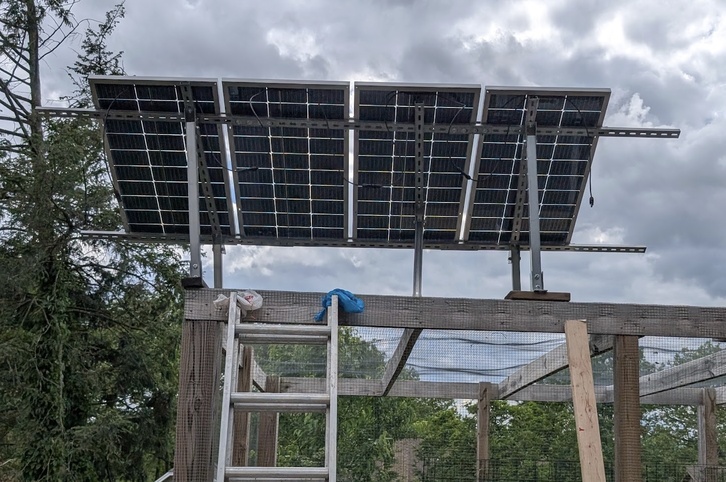
I wanted to play with solar, but can't put it on my 100 year old slate roof. So I DIY'd a teensy garden-top solar panel setup that feeds an EcoFlow power station. The one I started with had no way to get power data out, so I decided it would be a fun project to build a power monitor for it and log data myself, using a little raspberry pi pico.
The pico calculates the solar power entering the system and logs it every few seconds to a small VM on my home server. The VM logs that data to a JSON file:
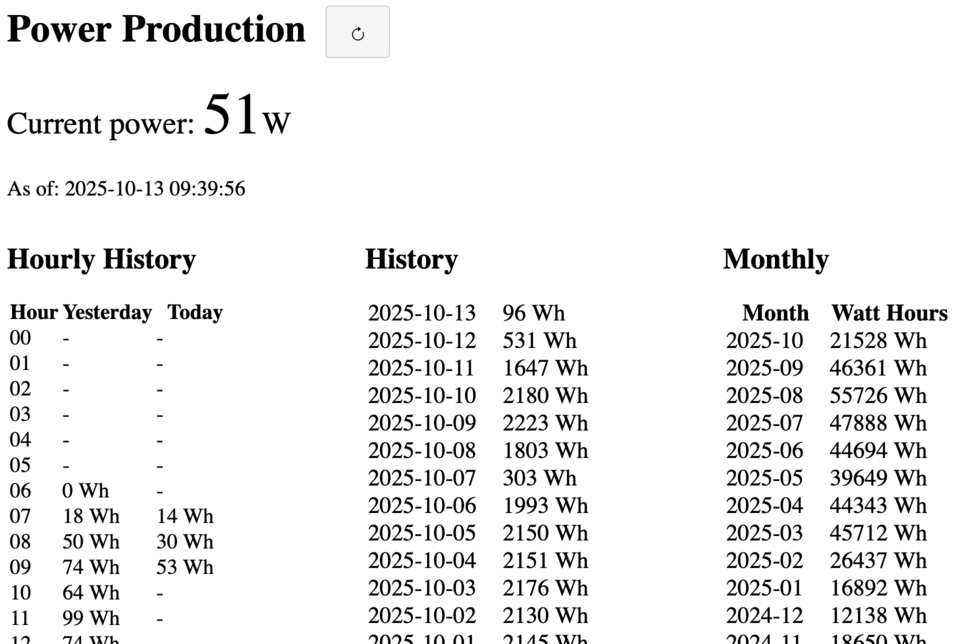
Each day at 3am, a script runs that ingests that JSON file into a duckdb database. The code sits on github. That's all processed by a small rust backend to serve a JSON response to a web page to show the data in tabular form:
The problem
Loading the power web page was getting really slow after building up a year or so of data. The page displays the entire daily history, but that shouldn't be so bad on a modern processor - it's only about 500 rows of data. I got a clue on Saturday when firefox yelled at me that 1Password was taking excessive time during the load of the page.
Claude to the rescue
I described the problem to Claude: "the web page takes 10 seconds to load, but the backend query only takes half a second.". Within about 15 seconds, it identified the problem: I was using table.innerHTML += ... to append rows to the table, one += per row, which forces a re-render of the entire table each time (and in my case, caused the client-side 1Password extension to run to scan for password input fields). Oops. I asked it to optimize it, and it suggested pre-creating the entire HTML content and appending it once. That basically solved the problem.
I was still curious, though, so I poked more and asked Claude what the most efficient way to append rows to an HTML table was, and it suggested a few options, the best of which was to directly create the table using DocumentFragment(s). It tells you something about my js/DOM knowledge that I had no clue about this API (I mean, it's only existed for 20 years or so, it's a baby!). I had Claude shift the code to that and apply a few other optimizations, and we were off to the races.
Full disclosure: I had ALSO vibe-coded the original version of this code some time back, and it sucked. I knew it sucked but I'd never bothered to do anything about it because it was fast enough when I wrote it. It took some time for the "accidentally n^2" problem to show up. Mea culpa.
But not for the backend
At this point, the backend was now the bottleneck, and I returned to wondering why it was taking 500ms to assemble the response. I had done all the usual things:
- The database was indexed on time;
- I pre-calculate the daily aggregates during ingest time
The slowest query was the weirdest: It simply selected the most recent power log entry. This wasn't entirely simple because it was a query across two tables, the union of the in-duckdb table and having duckdb read_json the on-disk json file containing the most recent day's worth of data. I had poked at this before and hadn't found a way to speed it up; that query was taking 200ms and EXPLAIN was showing it was doing a full table scan of the now-large duckdb database. Despite the index.
I asked Claude to take a stab at it, and it did an actually credible job of trying to performance debug it. Much as I had, it run an EXPLAIN on the query, and identified that the query was doing a full table scan. It also correctly identified that there was something weird going on: The times reported using the duckdb CLI and pragma profiling were much shorter than what the Rust backend was seeing.
At this point, unfortunately, Claude started to go off the rails, suggesting code modifications to try to work around it that made increasingly little sense, and I started to worry that my little junior engineer pal was going to end up doing something stupid. At this point, I killed Claude, and decided to poke at it myself.
The poking turned out to mostly be thinking, and it dawned on me that I had a versioning problem: The system install of duckdb was old and the cli binary that I would use from the shell was new. So this was almost certainly an optimization failure in old duckdb. I upgraded the system duckdb, and the total query time dropped from about 500ms to about 80ms. I could do better -- in fact, an old version of my backend code just manually grabbed the last entry from the JSON file if it existed -- but I like the simplicity of having duckdb manage everything and 80ms is fast enough for something only I use.
Conclusion
Claude is better at frontend than I am, but this isn't really a surprise: I'm pretty bad at frontend.
Claude is worse at backend than I am. But it did much better than I had expected.
But perhaps the most useful thing about using an assistant is that it got me past the "meh, I can't be bothered" stage. The annoyance with this page wasn't so large that I ever got over the activation energy to poke into it. I mostly look at the solar data in my more-recent homeassistant integration, which reduced the pain. But by throwing the problem to an assistant, it didn't feel as much like work, and as we all know, it's easier to keep going with something than to get started. Even if that ends up being the primary value of using it, it was pretty good.